
Create Remarkable Visual Notes with Smarter Digital Tools
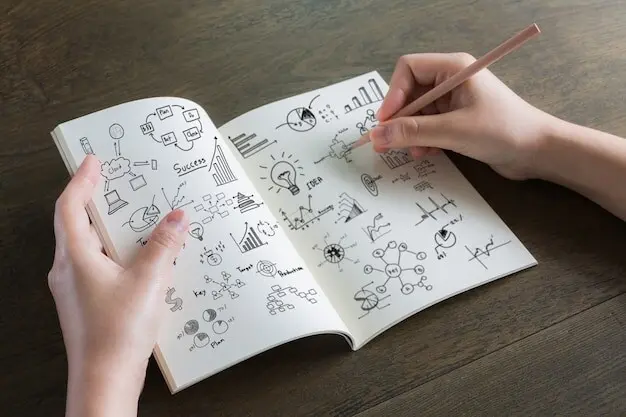
Welcome! Today we are focusing on Digital Tools and Workflows for Visual Note Creation, exploring how modern apps, devices, and repeatable processes can turn sketches, arrows, and type into clear thinking. Expect practical setups, honest lessons from the field, and thoughtful habits you can immediately try in your next meeting or study session. Share your current toolkit and the one friction that slows you down, and we will help you remove it together.
Tablets, 2‑in‑1s, and E‑Ink Devices

A tablet with a buttery refresh rate feels radically different from a convertible laptop balanced on your knees. E‑ink reduces eye strain and encourages focus, but limited color and slower response demand deliberate marks. Consider whether you sketch mostly while moving, at a desk, or under studio lights. Try borrowing a friend’s rig for a day; real-world posture and grip habits often decide better than specs.
Stylus Ergonomics and Nibs

The right pen becomes invisible. Tapered barrels ease rotation for shading, while wider grips reduce fatigue during dense diagramming. Felt and rubberized nibs add tooth that slows your strokes for cleaner lettering. Replace nibs before they glaze and skate. Test tilt sensitivity for calligraphic lines and consistent hatching. If your wrist aches, a minimal grip change or lighter pen can transform endurance during marathon workshops.
Display Sizes, Brightness, and Color Accuracy

A larger canvas welcomes sprawling maps, but portability wins when you sketch standing in hallways. High brightness preserves contrast outdoors, while accurate color ensures consistent palettes across screens and print. Calibrate periodically, especially before exporting handouts. If you present live, try mirroring your display to verify legibility from the back row. Practical field checks often reveal more than spec sheets promise.
Systems That Make Sketches Think
Good notes do not just look neat; they think with you. By adapting lightweight frameworks like Zettelkasten and PARA to drawings, you can link concepts with icons, group clusters into projects, and keep ideas discoverable months later. We will translate card-based thinking into canvases, build visual indexes, and use consistent symbols so your future self can instantly read structure. Share a page you repeatedly revisit and why.
Visual Zettelkasten Adaptations
Turn atomic ideas into visual cards with a memorable icon, a punchy headline, and a tiny map of connections. Cross-reference siblings with shorthand arrows and page numbers. Over time, clusters reveal emergent patterns that suggest summaries or projects. Keep cards small to encourage splitting, not lumping. The moment a drawing feels crowded, it is often two notes pretending to be one.
PARA for Drawings and Maps
Organize by Projects, Areas, Resources, and Archives without breaking your sketch flow. Projects host active canvases with deadlines, Areas track ongoing standards like style guides, Resources collect inspiring diagrams, and Archives hold finished pages. A consistent sidebar index speeds retrieval across notebooks. When something goes dormant, demote it, clearing mental load while preserving the valuable breadcrumb trail that helps future work start faster.
Atomic Cards, Canvases, and Indexes
Blend quick cards for single ideas with broader canvases for systems. Create an index spread every month with thumbnails and keywords pointing to pages. Use page codes and a simple legend to connect families of diagrams. When you exceed three links from memory, draw a map of maps. This index-of-indexes habit prevents maze-like archives and invites serendipitous rediscovery.
Fast Capture During Live Sessions
Begin with a quick frame, title ribbon, and a two-column grid to prevent chaos. Prebuild stamps for speakers, questions, and decisions, so you can drop them in without menu diving. Mark uncertain facts with a dotted underline for later verification. If you fall behind, switch to bullets, then convert to visuals afterward. Your job in the moment is fidelity to meaning, not perfect ornament.
Refinement and Layering Afterward
Post-session, separate content from decoration. On one layer, tidy text and hierarchy; on another, refine arrows, containers, and spacing. Add light shading to balance attention. Remove duplicate words by converting them into icons. Write clarifying captions. Ten measured minutes often transform rushed marks into sharp explanations. Log edits in a changelog box so collaborators know what changed and why.


Tools That Accelerate Flow
Acceleration is not about drawing faster lines but removing friction. Templates, stencils, custom brushes, and hotkeys shrink routine work, freeing attention for thinking. We will build libraries you can reach without digging through panels and craft shortcuts that survive app updates. Add automation carefully, measure the benefit, and prune aggressively. Flow grows when tools learn your patterns and disappear.
Color, Type, and Visual Grammar
A steady visual language reduces cognitive load. Restrained palettes, legible lettering, and disciplined shapes let meaning lead. We will shape a minimal set of colors, define header and body styles, and prefer simple containers that communicate roles quickly. Research on preattentive attributes shows why contrast, grouping, and alignment work. Your pages gain clarity without shouting. Subtlety becomes a superpower.
Color Systems That Stay Legible
Pick one accent, one success, one warning, and a few neutrals. Test combinations in grayscale to ensure contrast remains readable when printed poorly. Reserve red for critical cues. Use color to group, not decorate. When unsure, underline or thicken borders instead of adding another hue. Consistency helps viewers scan patterns and remember relationships long after the meeting ends.
Hand Lettering and Typography Choices
Choose a friendly, upright style for body text and a bold, slightly condensed hand for headings. Practice spacing so counters do not close at small sizes. Use caps sparingly to signal hierarchy, not shouting. Stabilize baselines with faint guidelines. If you mix digital type, match x-height and weight to your handwriting. Legibility beats flourishes when ideas move quickly across a crowded page.
Arrows, Containers, and Connectors
Decide what each arrow shape means before you start. Straight arrows indicate flow, curved show influence, dotted suggest possibility. Containers signal function: decisions as diamonds, people as bust icons, data as cylinders. Keep connector crossings minimal by sketching rough routes first. When lines tangle, elevate structure with numbered steps, then add connections second. Order saves comprehension.
Live Whiteboards and Facilitation Tricks
Open with a legend explaining icons and color roles, then keep a visible parking lot for tangents. Use timeboxed rounds to gather input without derailments. Assign a navigator to track promises and decisions. Mute notifications and hide distracting panels. End with a snapshot summary and next steps. Participants feel seen when their words reappear as shapes they can point to and refine.
Version Control for Drawings
Adopt a simple scheme: date, slug, and incremental number. Save checkpoints before risky edits. When collaborating, branch big explorations to avoid stomping on each other’s work. Maintain a changelog in the canvas margin with initials and rationale. If your tool supports diffing, compare layers to audit revisions. Clear history prevents mystery regressions and builds confidence during iterative refinement.
Cross-Device Sync and Backup Plans
Sync is only real when restores work. Test recovery by intentionally moving a file and opening it elsewhere. Keep local exports for critical milestones. Choose one cloud as primary and avoid double-sync conflicts. Document where originals live and how collaborators access them. When travel looms, preload offline copies. Backups feel boring until they save a deadline and your reputation together.
Retention, Recall, and Research
Drawings are memory machines. Dual coding, spaced repetition, and retrieval practice make visuals stick. We will transform pages into prompts that trigger recall, aligning sessions with how brains learn. Thoughtful measurement improves craft without turning creativity into spreadsheets. Invite peers to test your diagrams, collect feedback, and iterate. Over time, you will notice which shapes teach faster and last longer.

All Rights Reserved.